 Now Get Ready For
Help & contact
Need a hand? Start with the questions below. Still stuck? Email admin@nowgetreadyfor.com and include your phone model, and we'll get back to you.
Is the game free?
Yes. The game is free to download and play, with optional ads and purchases. You can earn coins for hints just by solving puzzles.
How do I play?
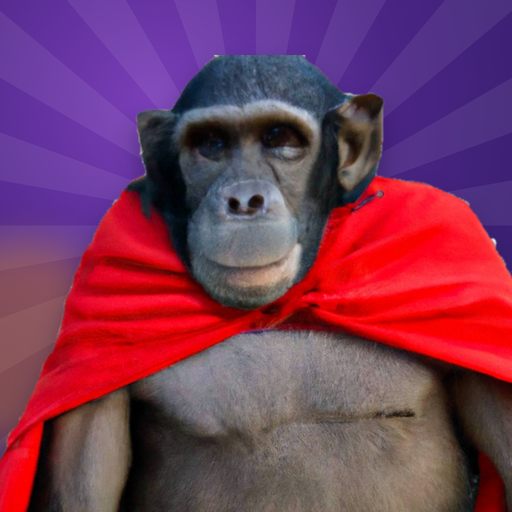
Look at the picture, then spell the two rhyming things it shows, like "Cape on an Ape". Tap letters to fill in the boxes. Not every letter is used!
How does Head to Head work?
Everyone needs to be on the same Wi-Fi. The host taps Head to Head, then Host a game, and reads out the 4-letter code. Friends tap Join and enter it. Your clock stops when you solve each picture, and the lowest total time wins. No Wi-Fi? A player who isn't hosting can turn on their phone's hotspot and everyone else joins it.
My friends can't join my Head to Head game.
Make sure everyone is on the same Wi-Fi network (not a guest network). Some hotel, school and office Wi-Fi blocks phones from seeing each other; try a phone hotspot instead. On iPhone, allow "Local Network" access for the app in Settings.
I bought Remove Ads (or Head to Head) on another phone.
Open Settings in the game and tap Restore purchases. Use the same Apple ID or Google account you bought it with.
Are the ads safe for kids?
Yes. Players 13 and under only see child-directed, non-personalized ads rated for general audiences. Older players see ads rated Teen or below, never mature ads.
How do I suggest a puzzle?
In the game, open Settings and tap "I have a puzzle suggestion", or use the form on our home page. If we use it, you'll get credit in the game.
How do I reset my progress?
Open Settings and tap Reset progress. Your purchases are kept.
Data requests
To see or delete any information we hold about you, email admin@nowgetreadyfor.com. See our privacy policy and how to delete your data.